Every site. One sign-in.
Run every site and brand from one CMS. Each site keeps its own model, media, people and MCP URL, and the whole CMS can carry your name and colors.
Walkthrough
From one site to many.
How a new site joins the suite, on the real app. Pick a step, or let it play.
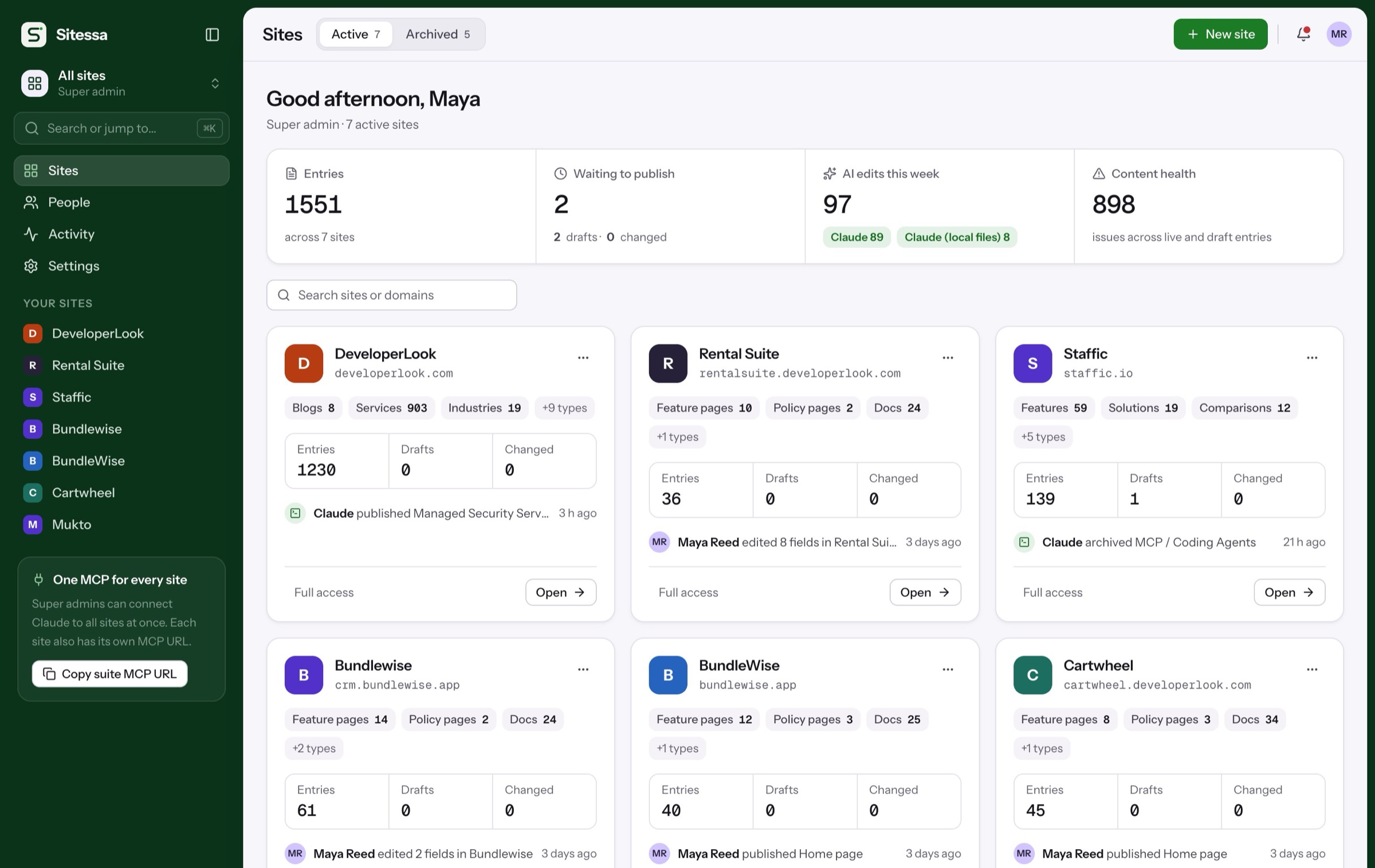
The suite overview lists every site with its entries, drafts, AI edits and content health.
- Search sites or domains
- Archive and restore
- Activity across sites
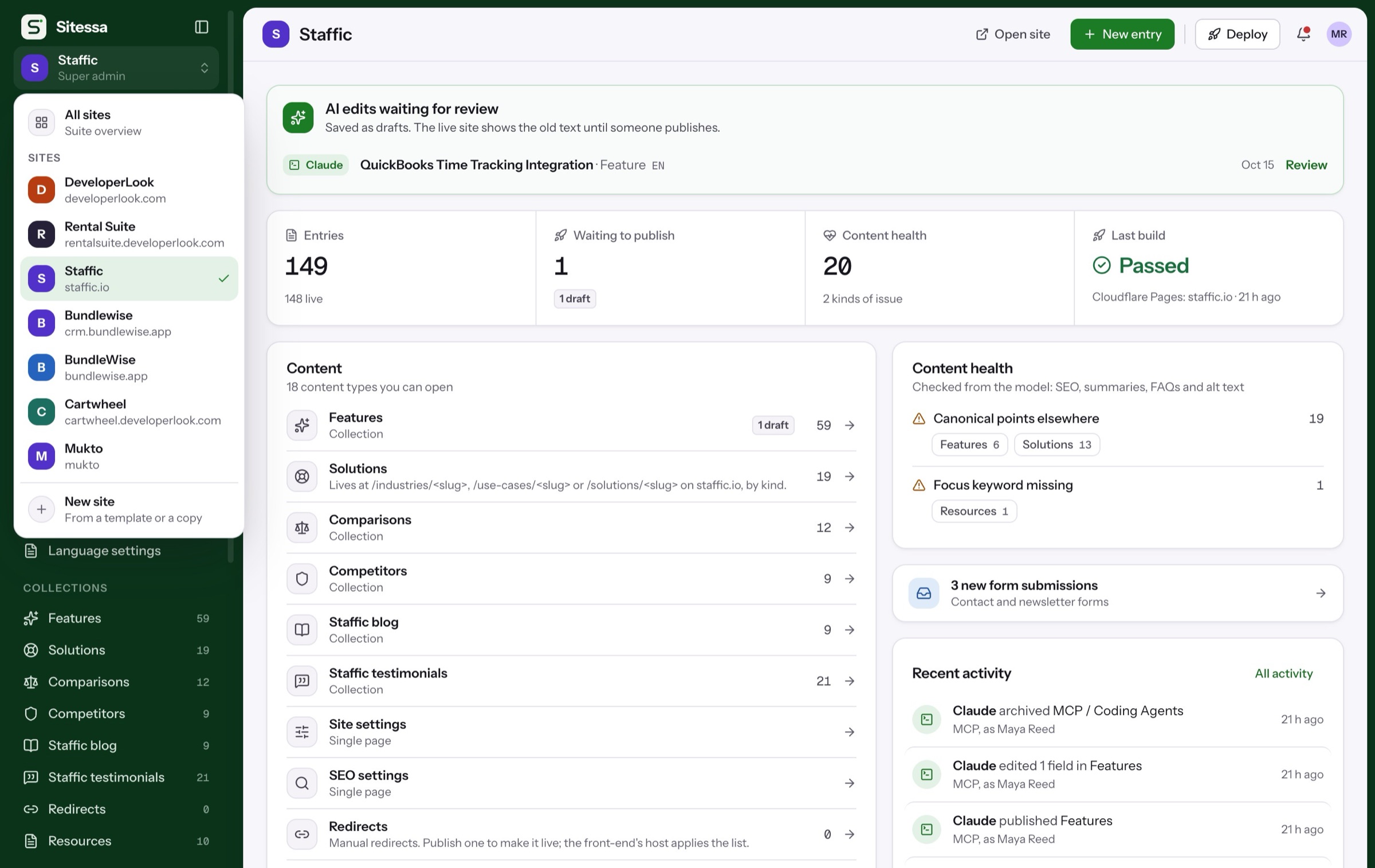
Jump between sites from the sidebar. Each keeps its own model, media, members and endpoint.
- Separate content per site
- One sign-in
- A suite MCP for super admins
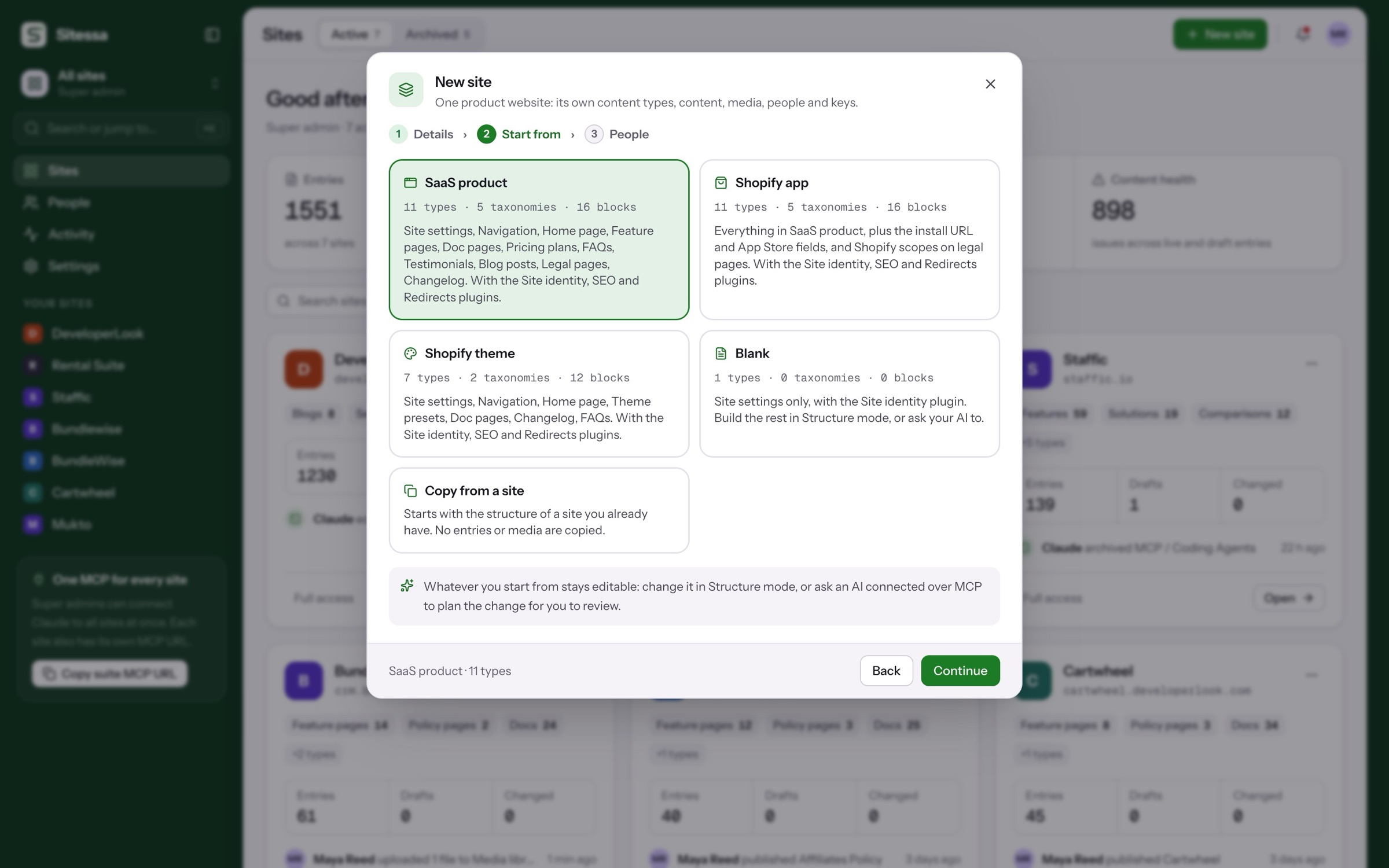
SaaS product, Shopify app, Shopify theme or blank, or copy the structure of a site you built.
- Plugins come with the template
- No entries or media copied
- Everything stays editable
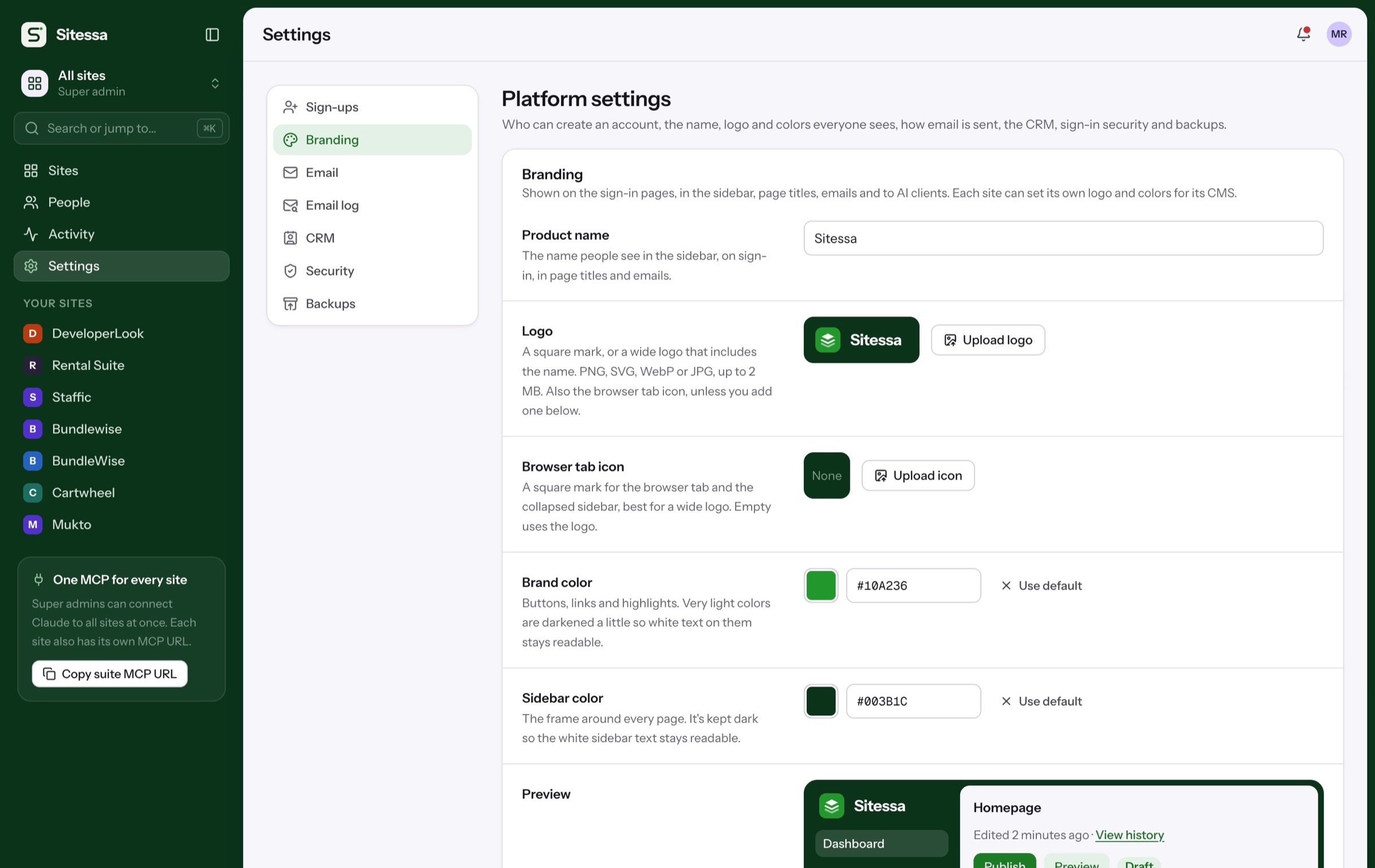
Set the CMS name, logo and colors once. Each site can add its own logo and colors.
- Sign-in pages and emails
- Sidebar and page titles
- Readable contrast, kept for you
Details
Separate sites, one place.
- 01Sites
Isolated sites
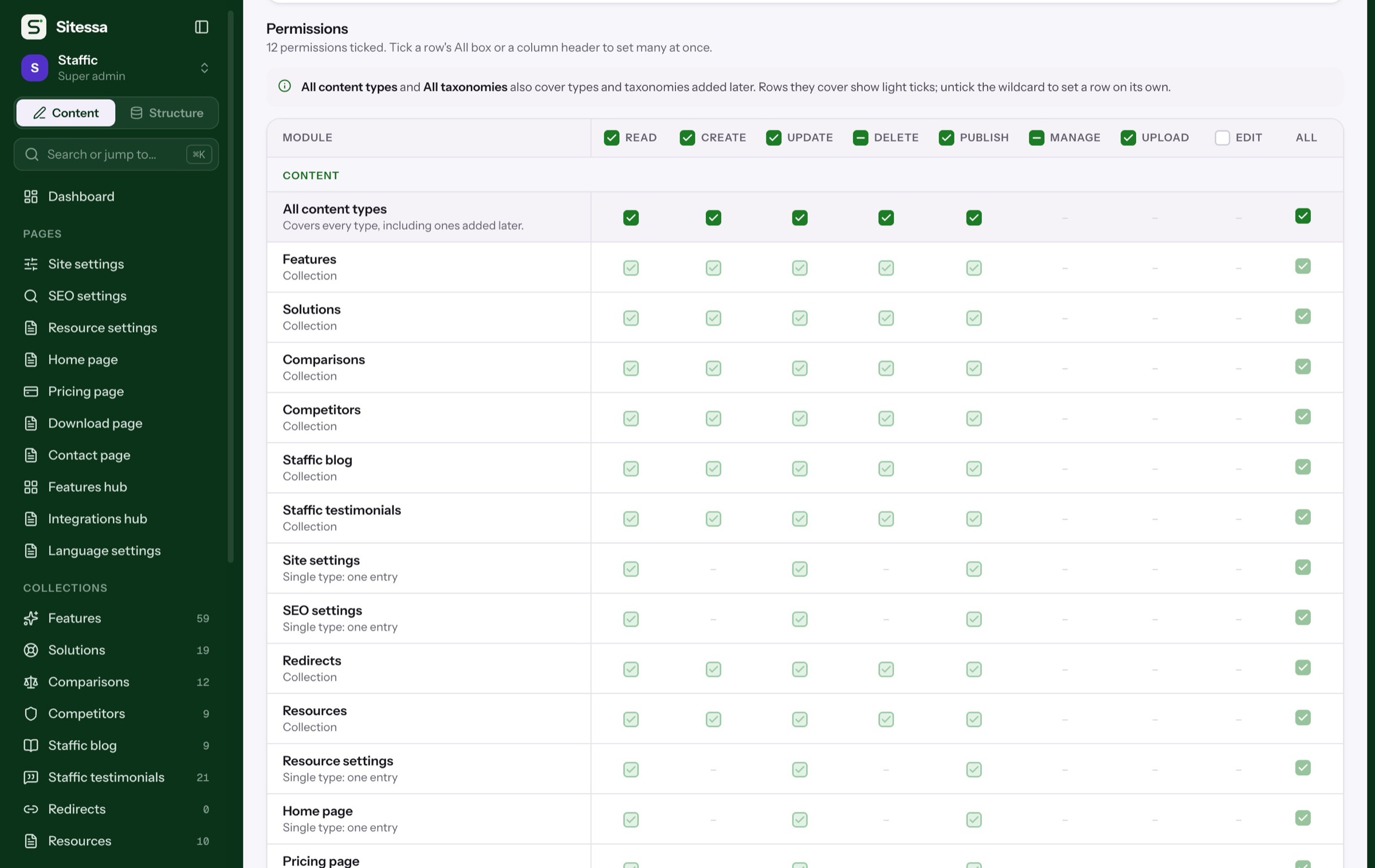
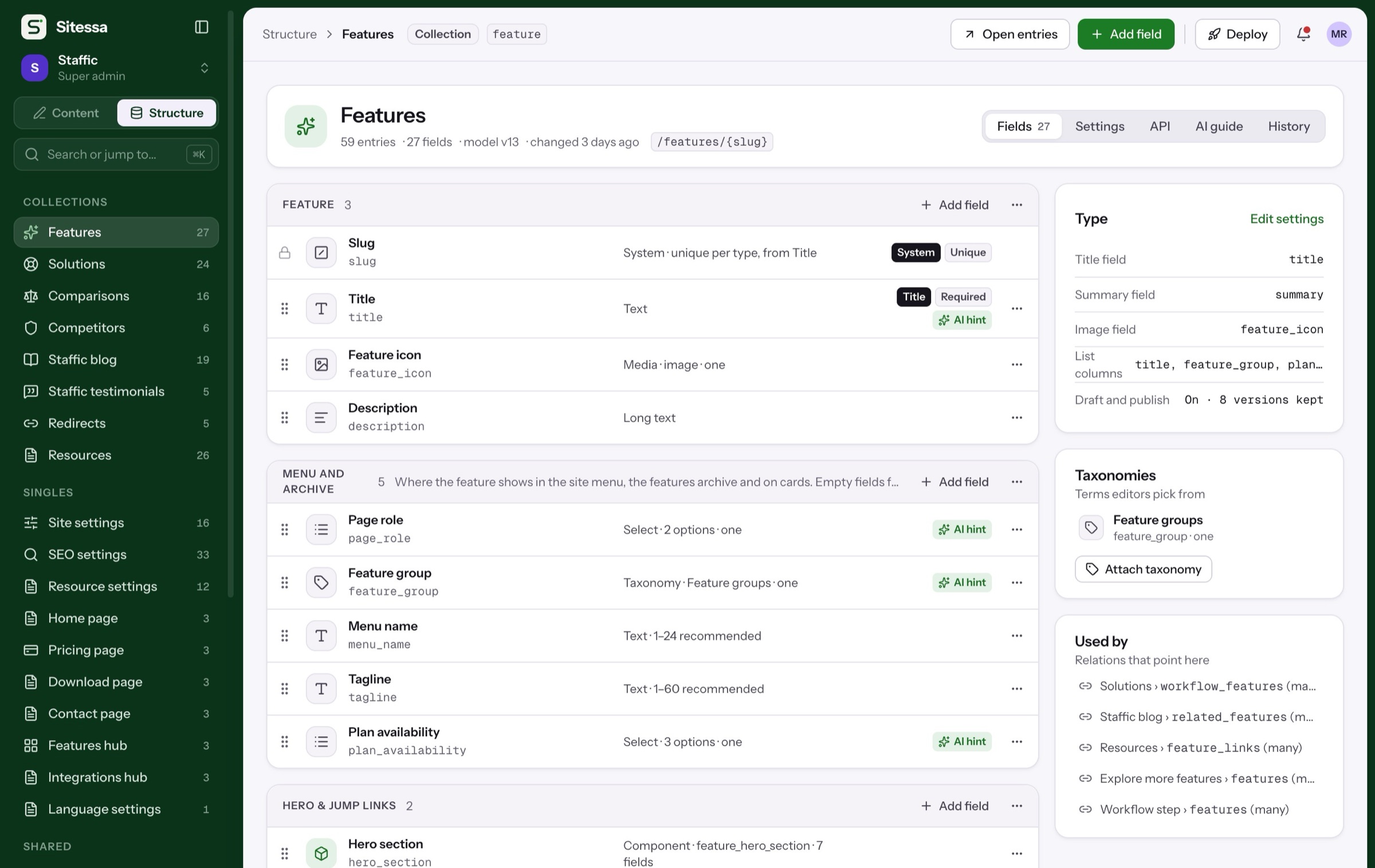
Each site has its own model, entries, media, roles, keys and hooks. A key for one site can't read another.
- 02People
Invite while you create
Add people with Admin, Editor or Viewer in the new-site dialog. Invites go out by email.
- 03Brand
White label
Your product name, logo, browser icon, two colors and sign-in text across the whole CMS.
- 04Brand
Per-site look
A client's logo, brand color and sidebar color inside their own site.
- 05Email
Emails in your brand
Accent color, footer and logo per site, and its own sender if you want one.
- 06Lifecycle
Archive, don't delete
Archive a site to stop its API and MCP; restore it with everything kept.
Is there a limit on sites?
No. Super admins add as many sites as they need.
Can one AI app work on every site?
Each site has its own MCP URL, so an app connected to one site can't touch another. Super admins also get one endpoint for every site.
What can a client site brand?
Its logo, brand color and sidebar color. The product name and sign-in page belong to the whole CMS.
Can I copy a site?
Yes, its structure. New sites can start from another site's model and plugins; entries and media are not copied.