Features
Every feature. One calm CMS.
Content, structure, AI over MCP, many sites, delivery, SEO and languages, and a log of every change. Pick a part to see it in the real app.
Explore
Pick a part. See it work.
Seven parts of Sitessa, each shown on a real screen. It moves on by itself; pick one to stay on it.
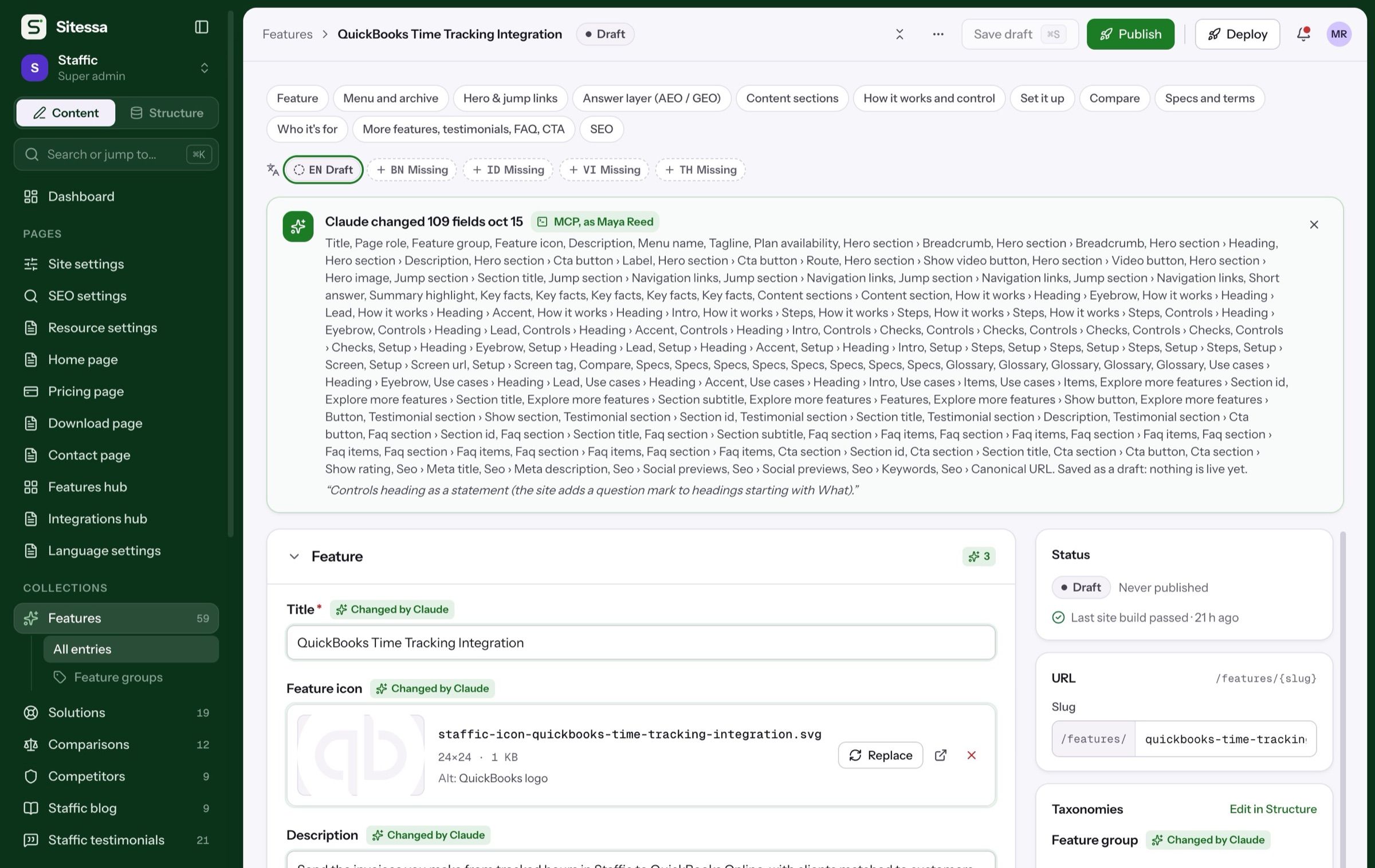
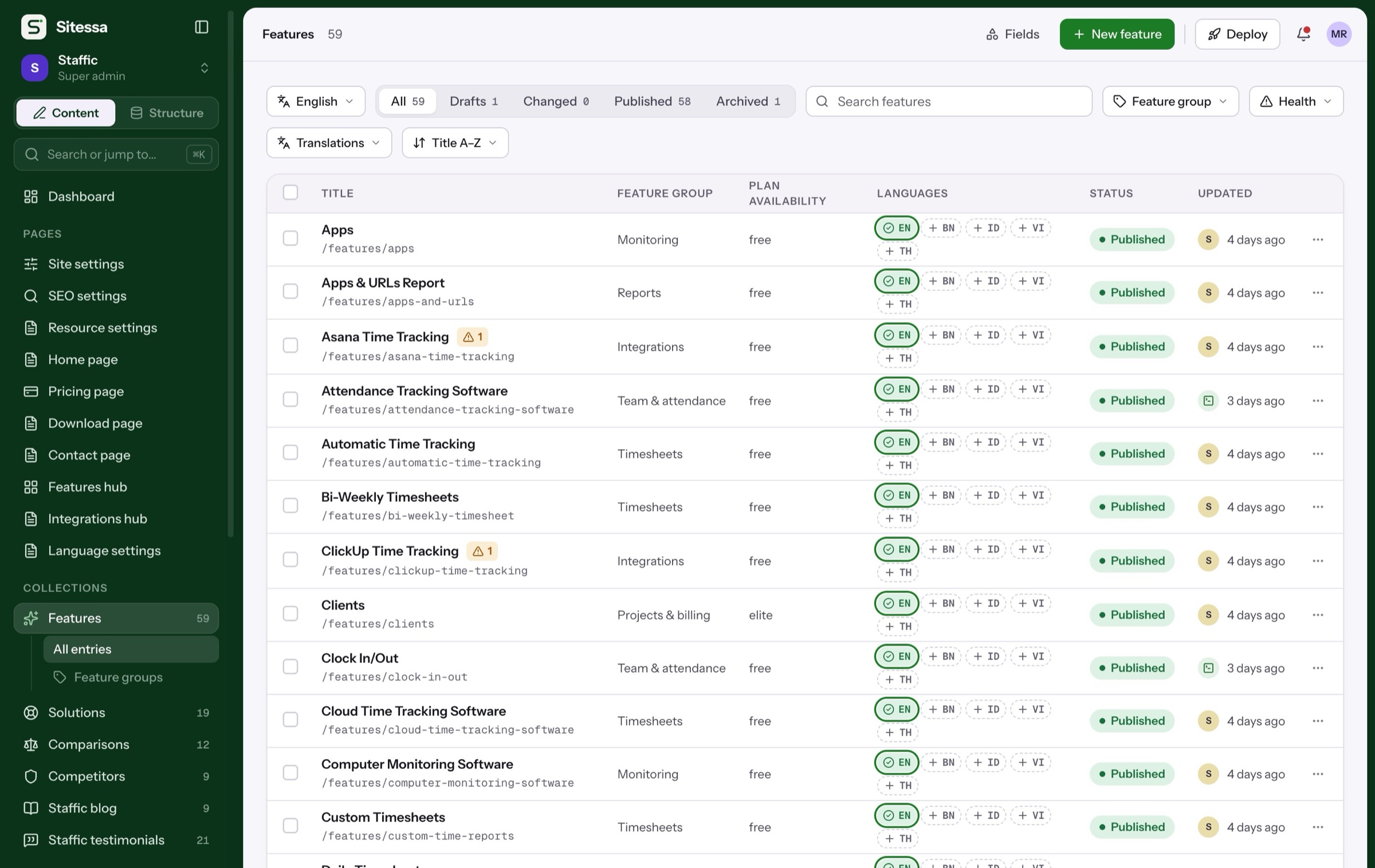
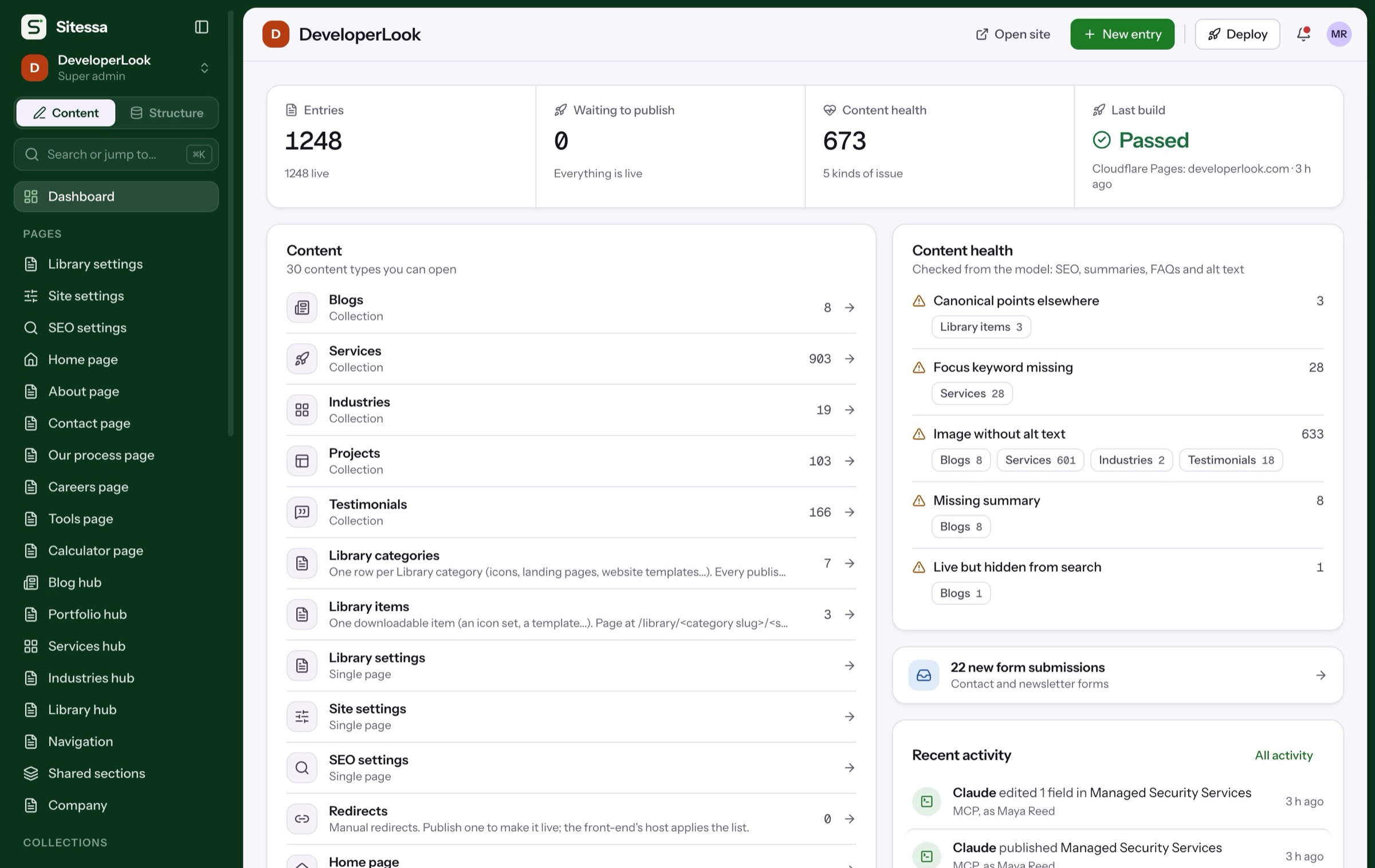
Entries in groups of fields, with drafts, languages and a rail of previews and checks.
- Draft and publish per entry
- Search, mobile and social previews
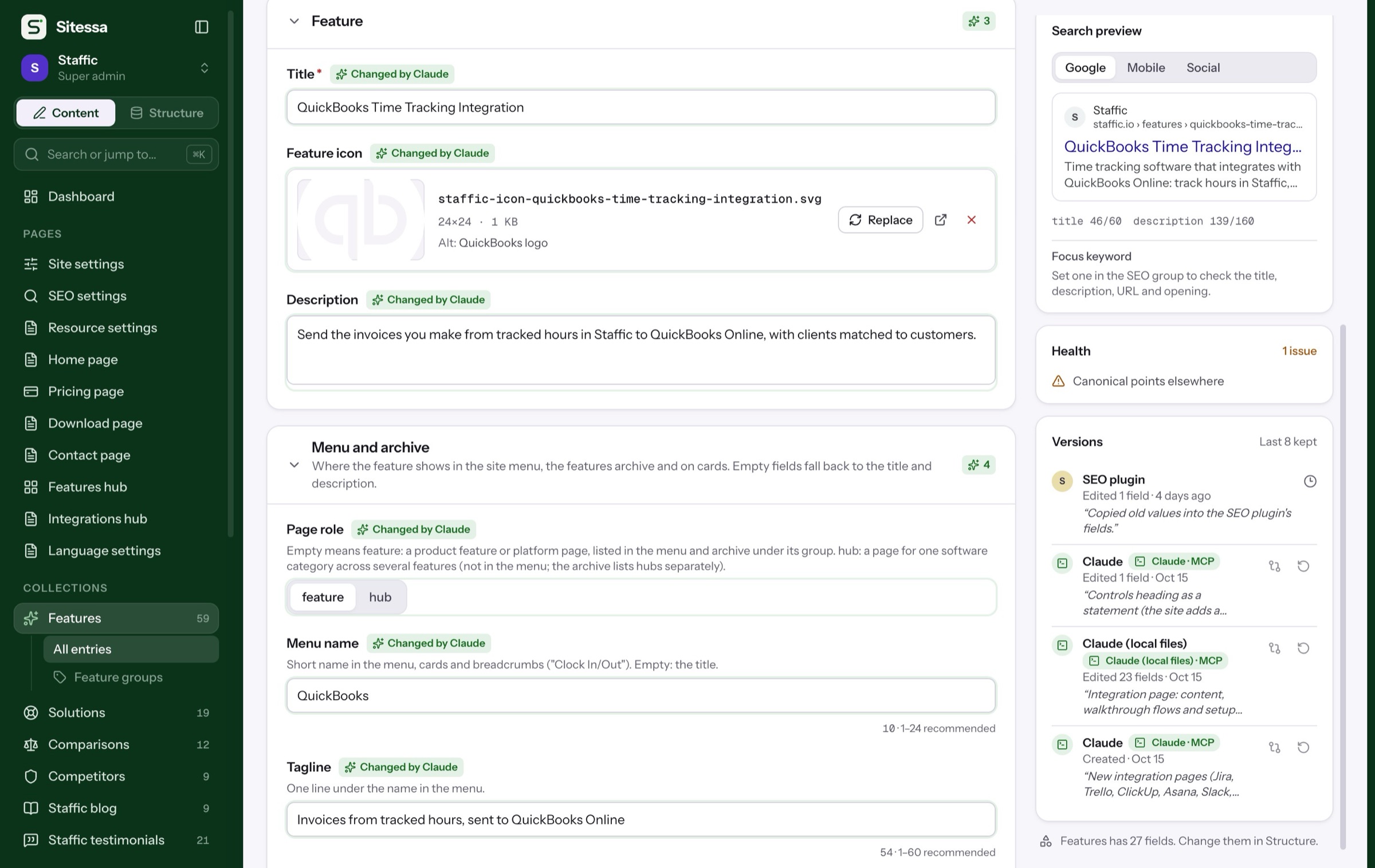
- The last 8 versions kept
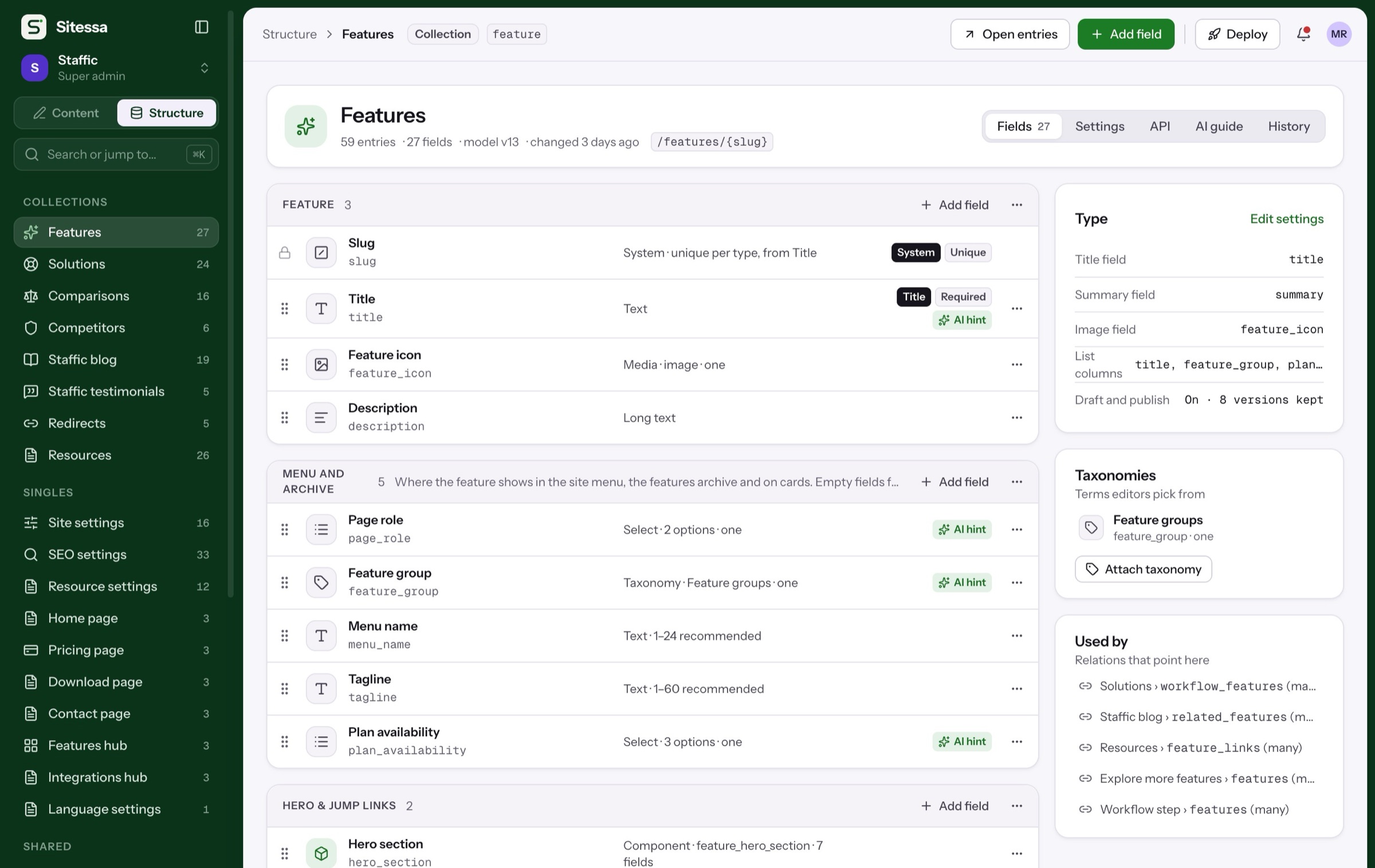
Collections, single pages, components and taxonomies, built from 20 field kinds.
- Every change reviewed, then applied
- A model version you can revert
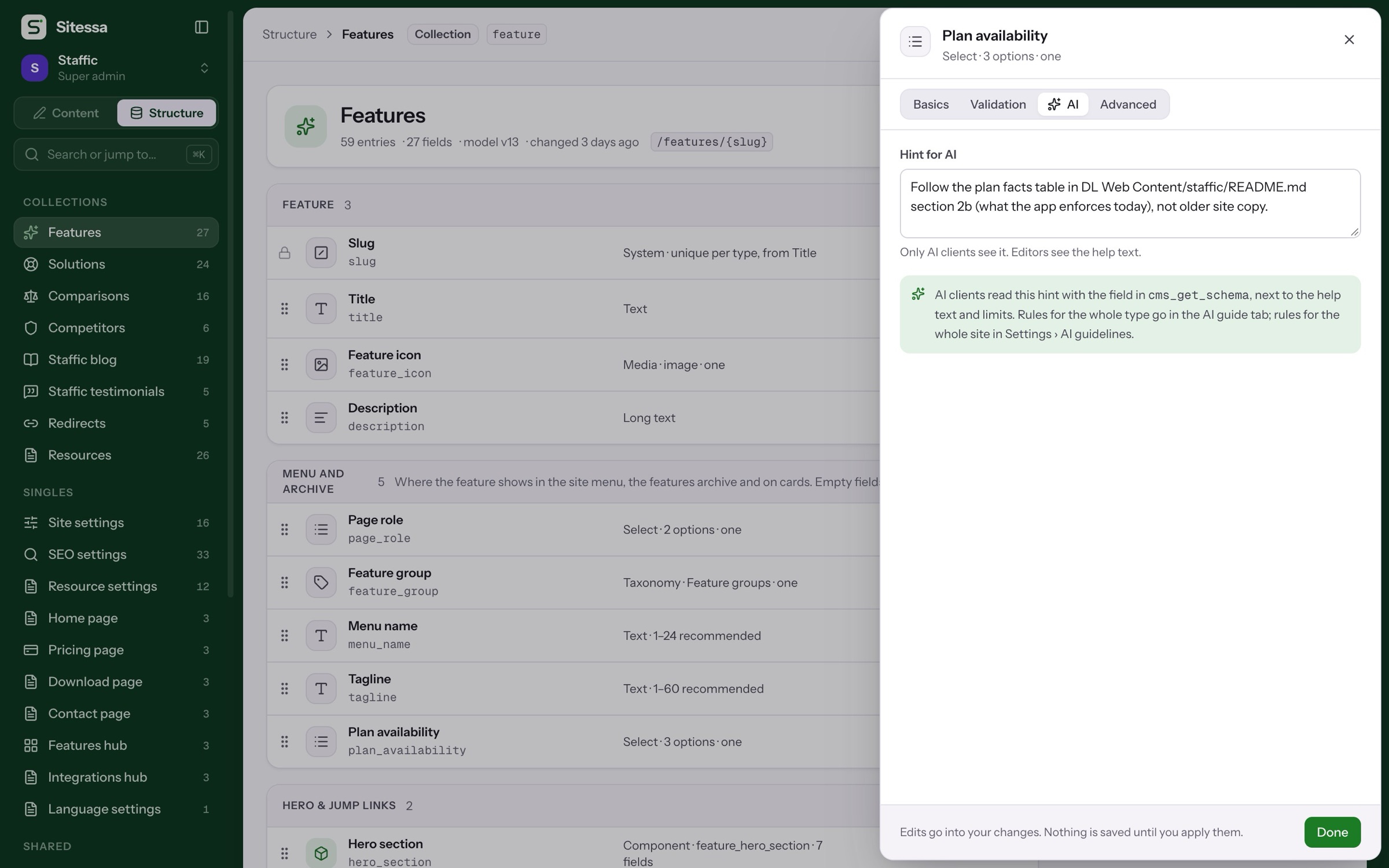
- Hints for AI on each field
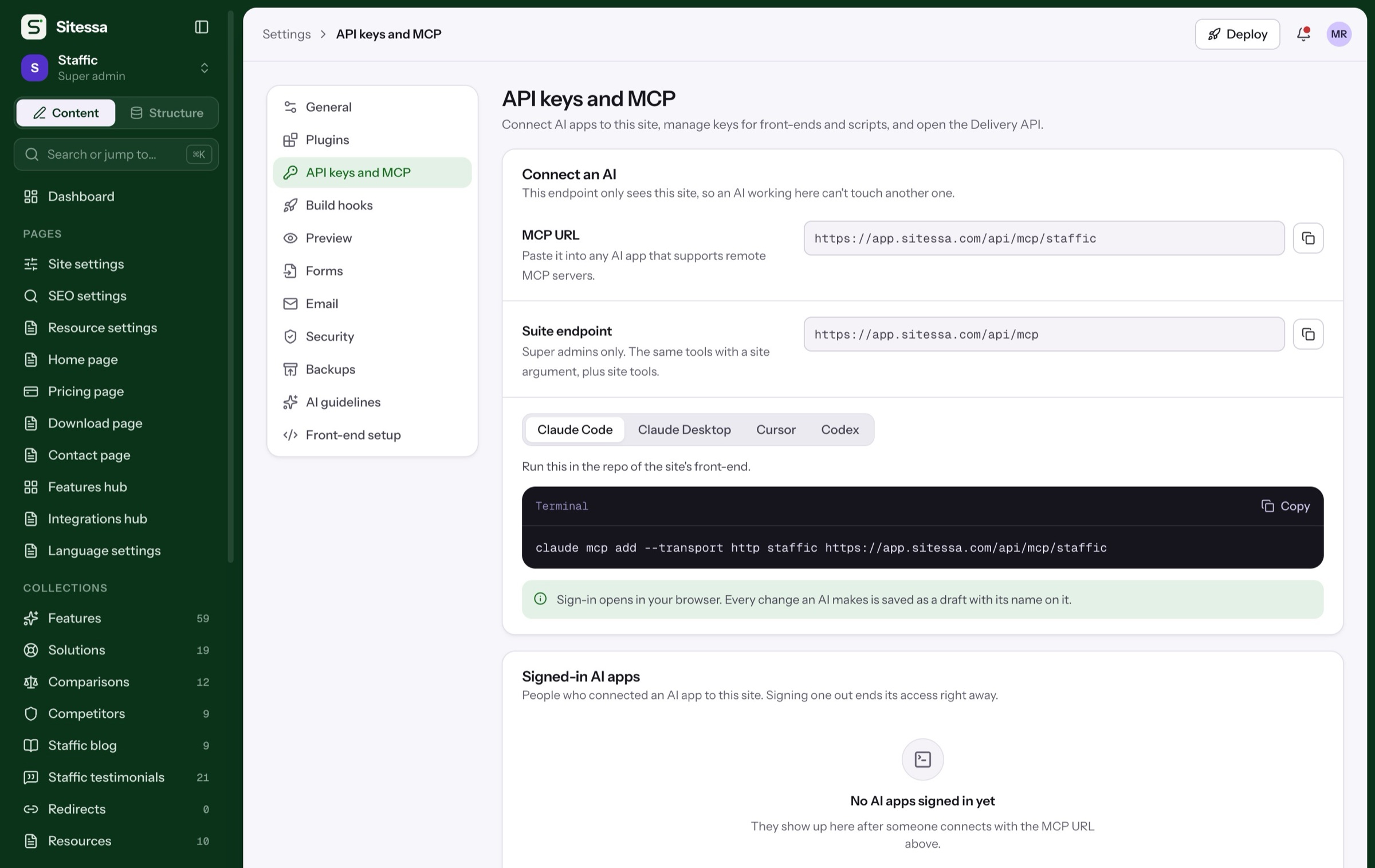
Each site has its own MCP endpoint. Claude, Cursor or Codex write drafts with their name on them.
- 50 tools per site
- House rules load first
- Setup for four apps in Settings
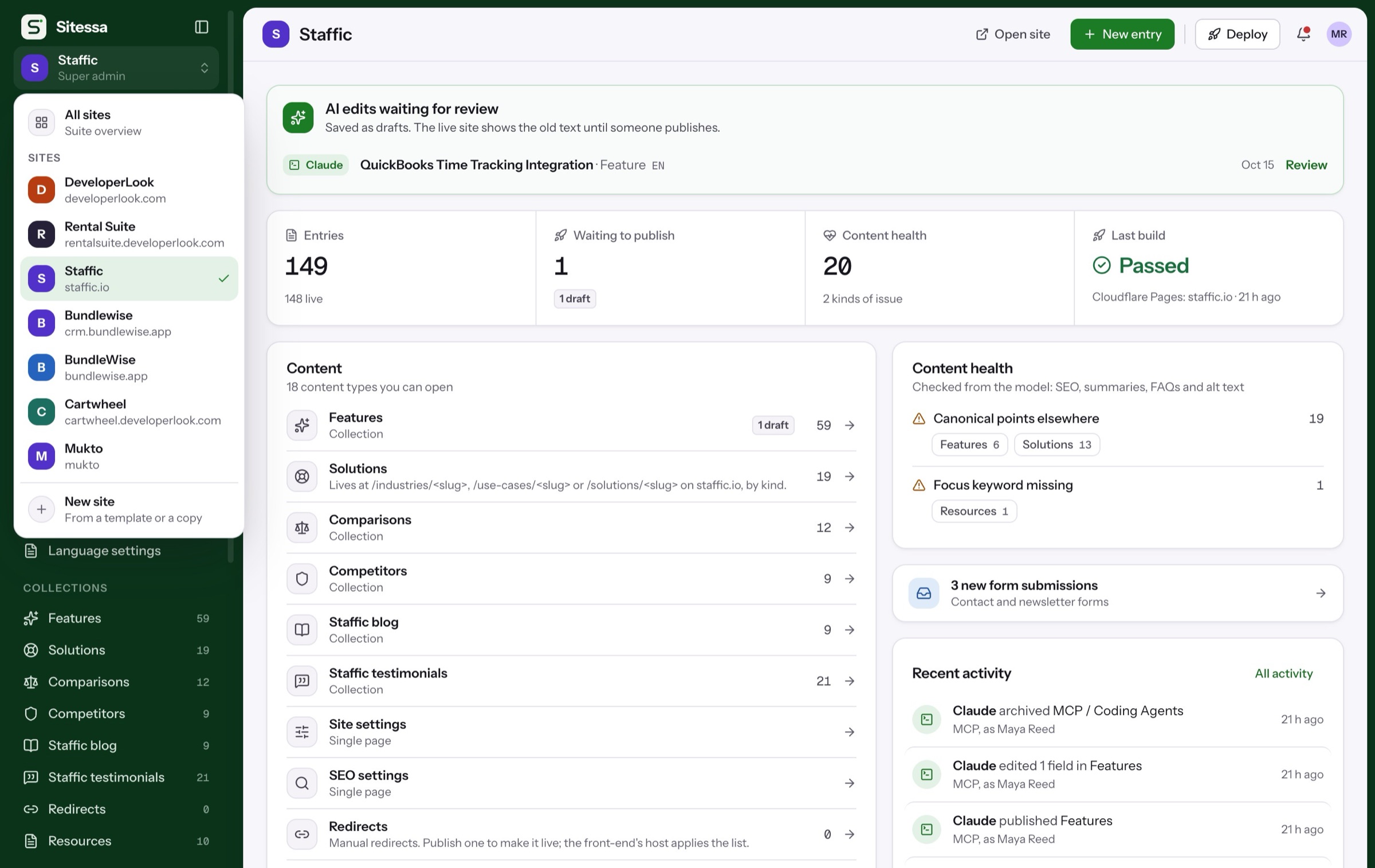
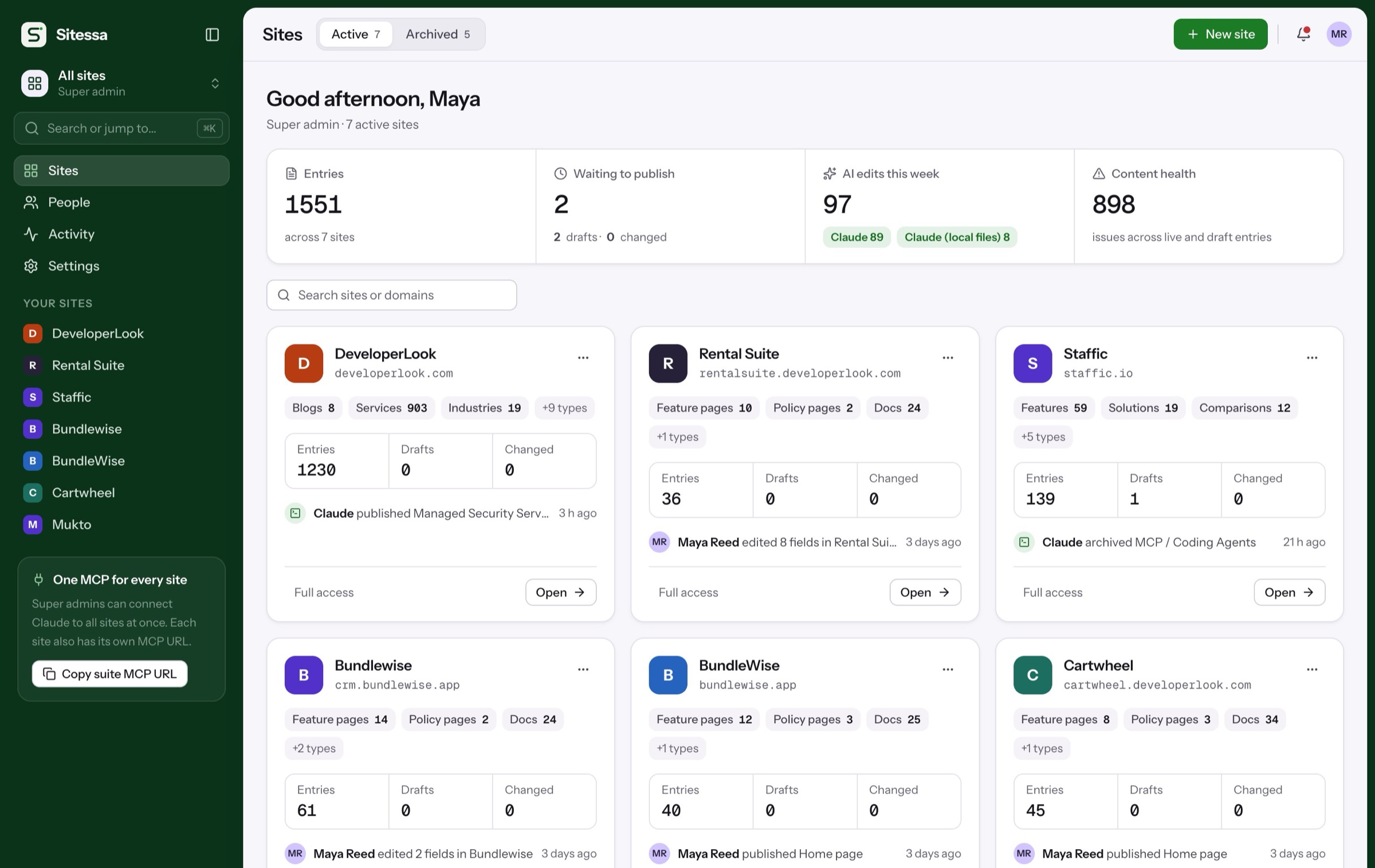
Switch sites from the sidebar. Each keeps its own model, media, members and endpoint.
- One sign-in for every site
- Members and roles per site
- A suite MCP for super admins
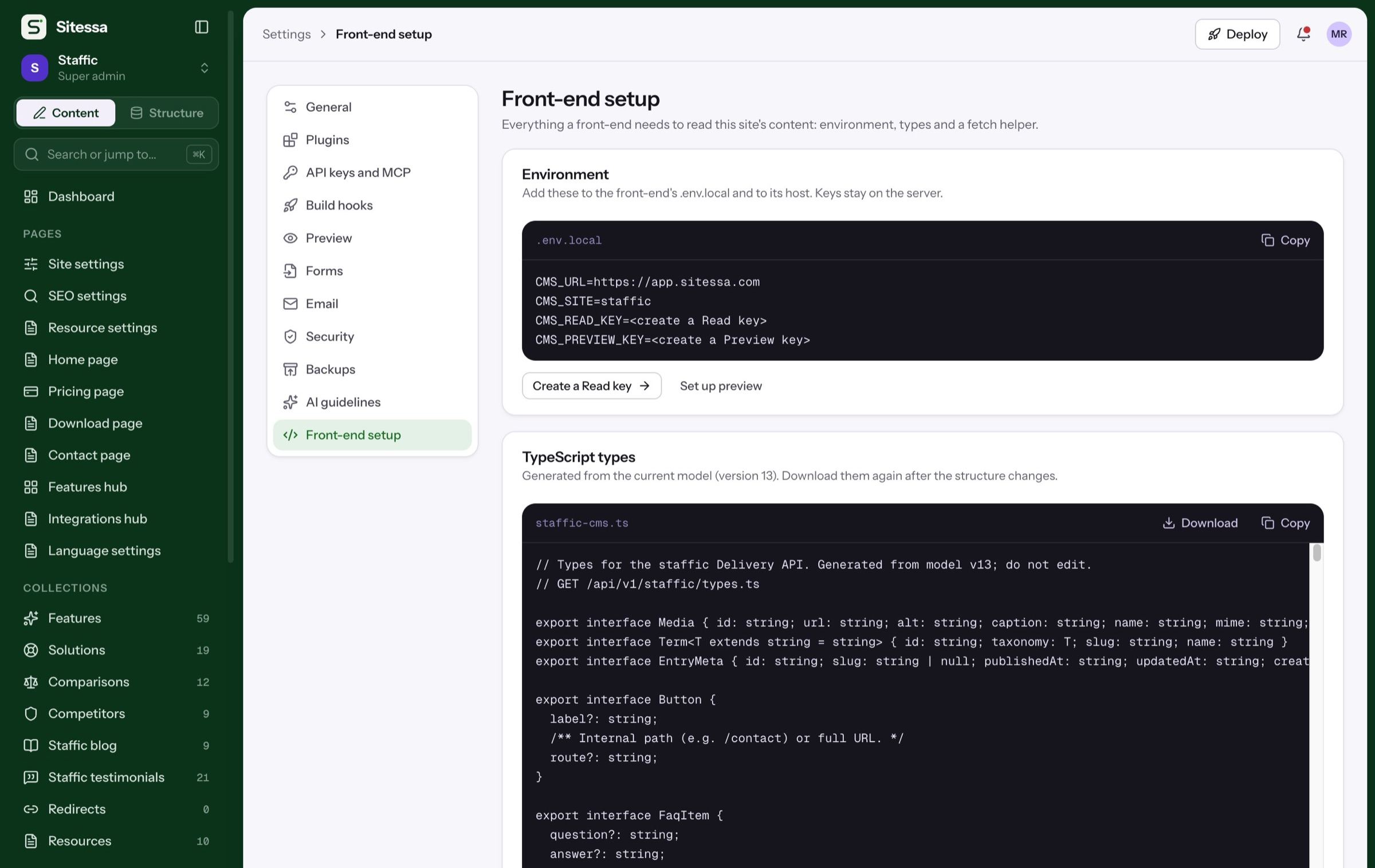
A Delivery API with read keys, generated TypeScript types and a fetch helper for Next.js.
- Read and preview keys
- Types from the model
- A build hook on publish
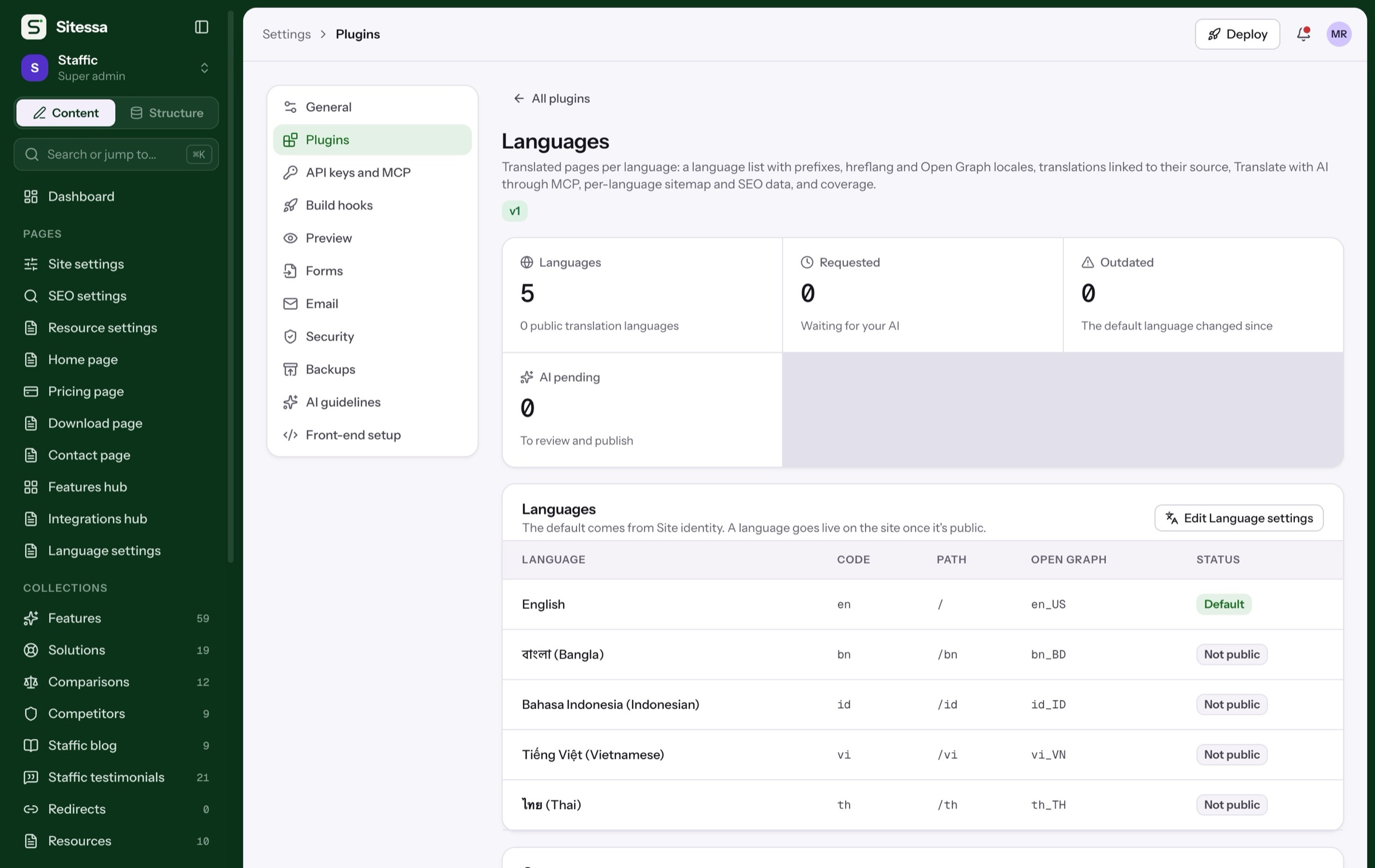
SEO fields on every page type, sitemap data, redirects, and translations linked to their source.
- hreflang and Open Graph locales
- Sitemap and robots data
- Redirects with wildcards
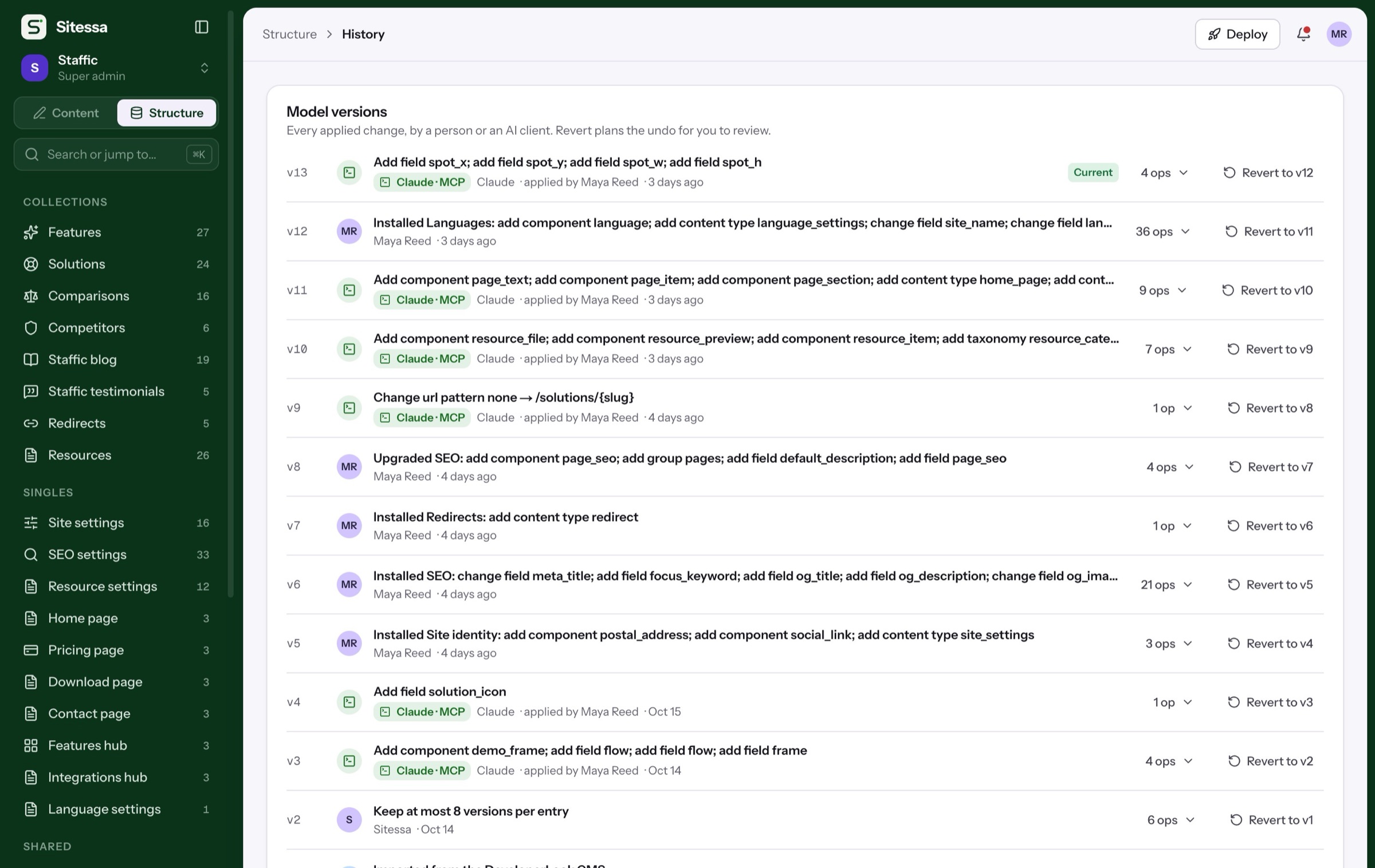
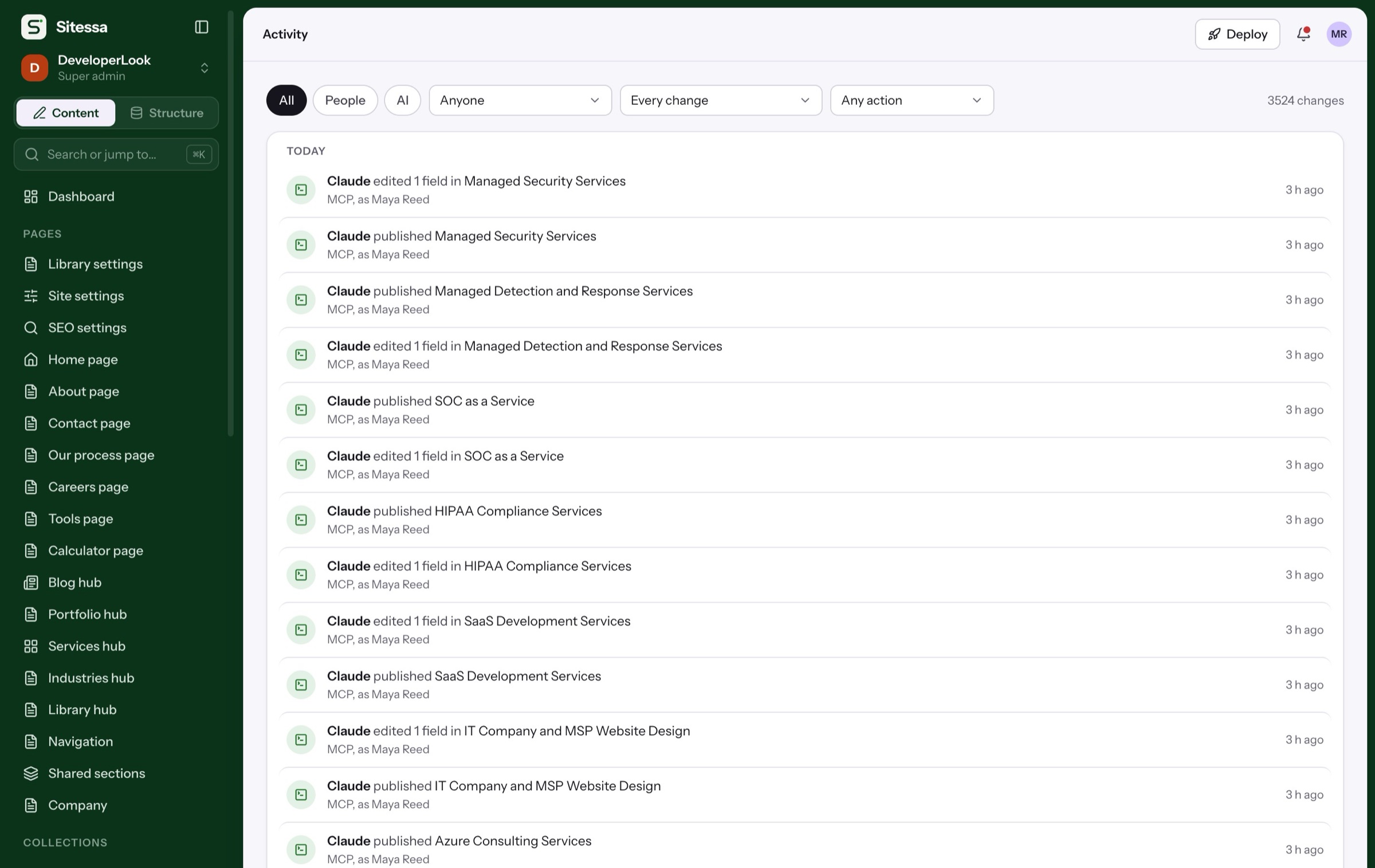
Every change by a person or an AI app is logged, and every model change can be reverted.
- Activity across all sites
- Model versions with revert
- Exports of a whole site
Walkthroughs
Watch the everyday jobs.
Each tile plays a real task in three screens. They take turns; hover one to play it now.
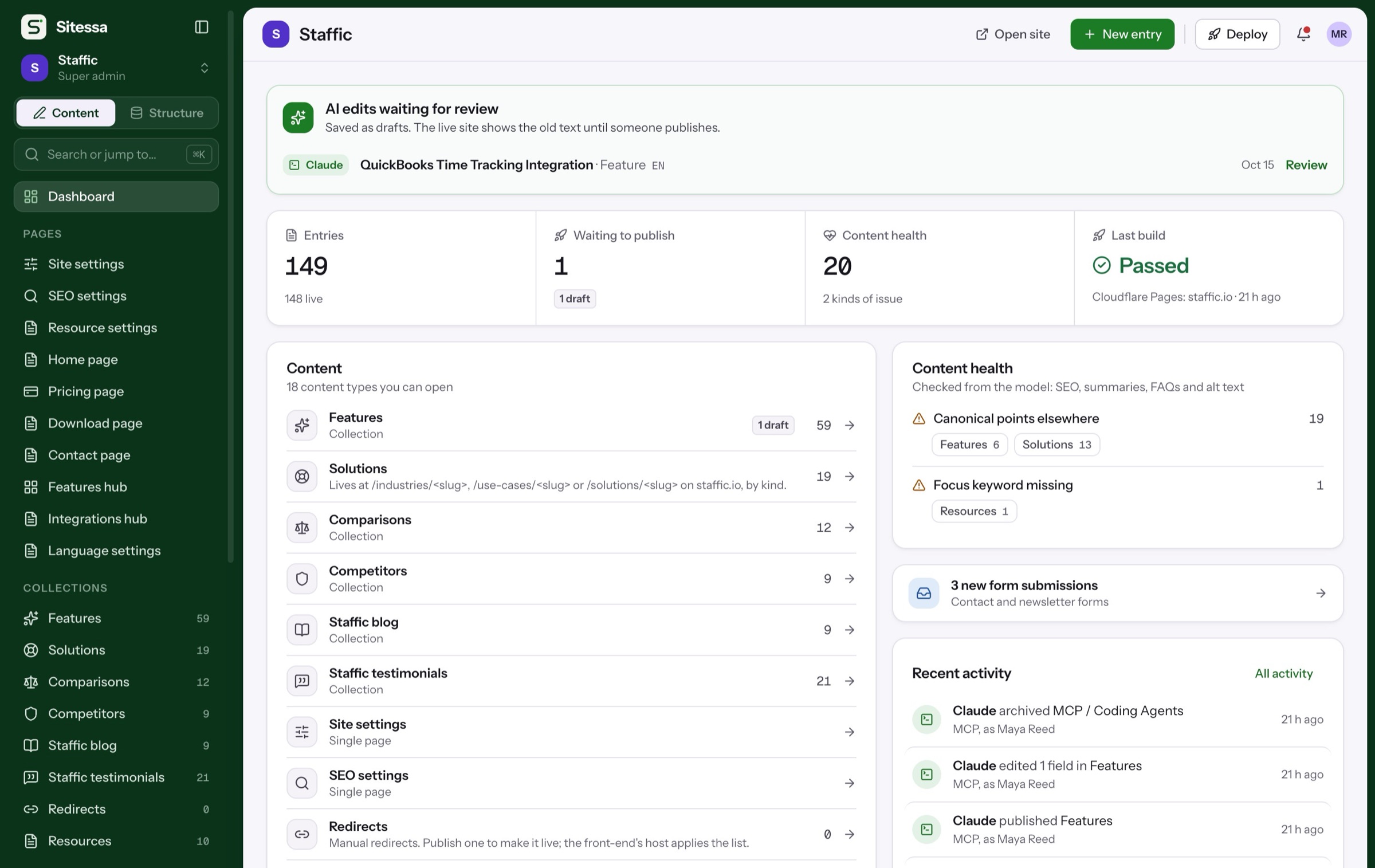
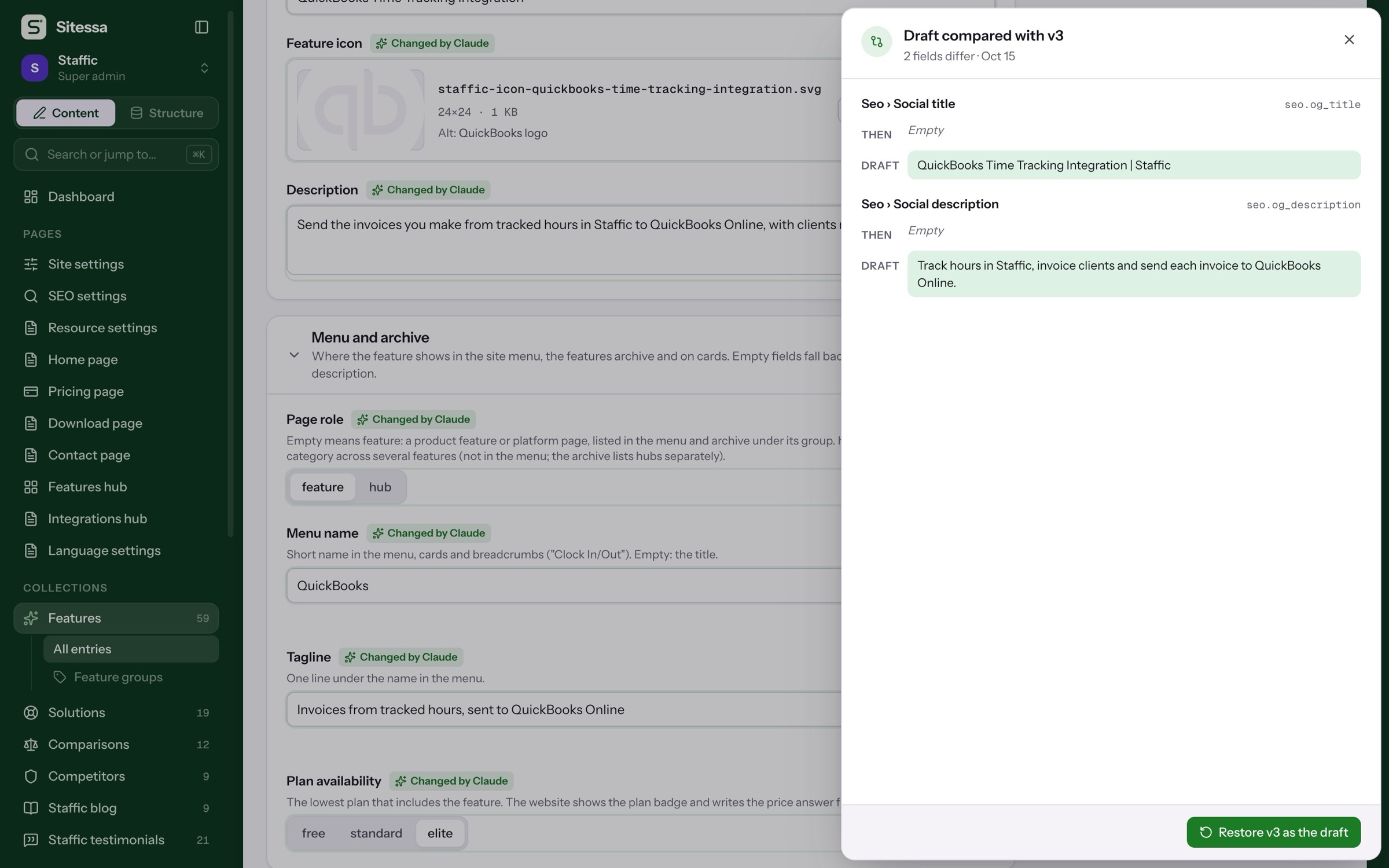
Review an AI edit
From the waiting draft to a field-by-field compare.
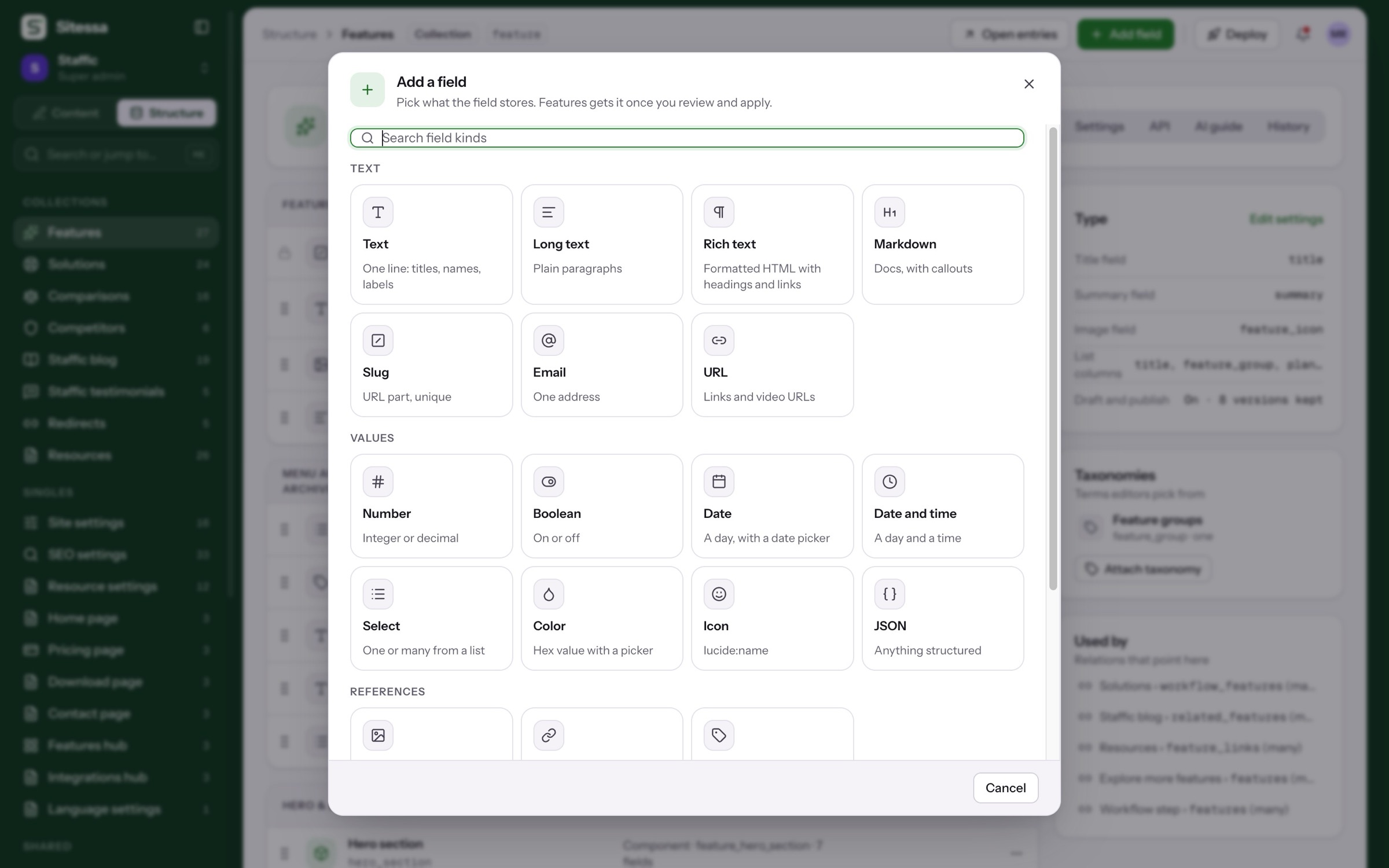
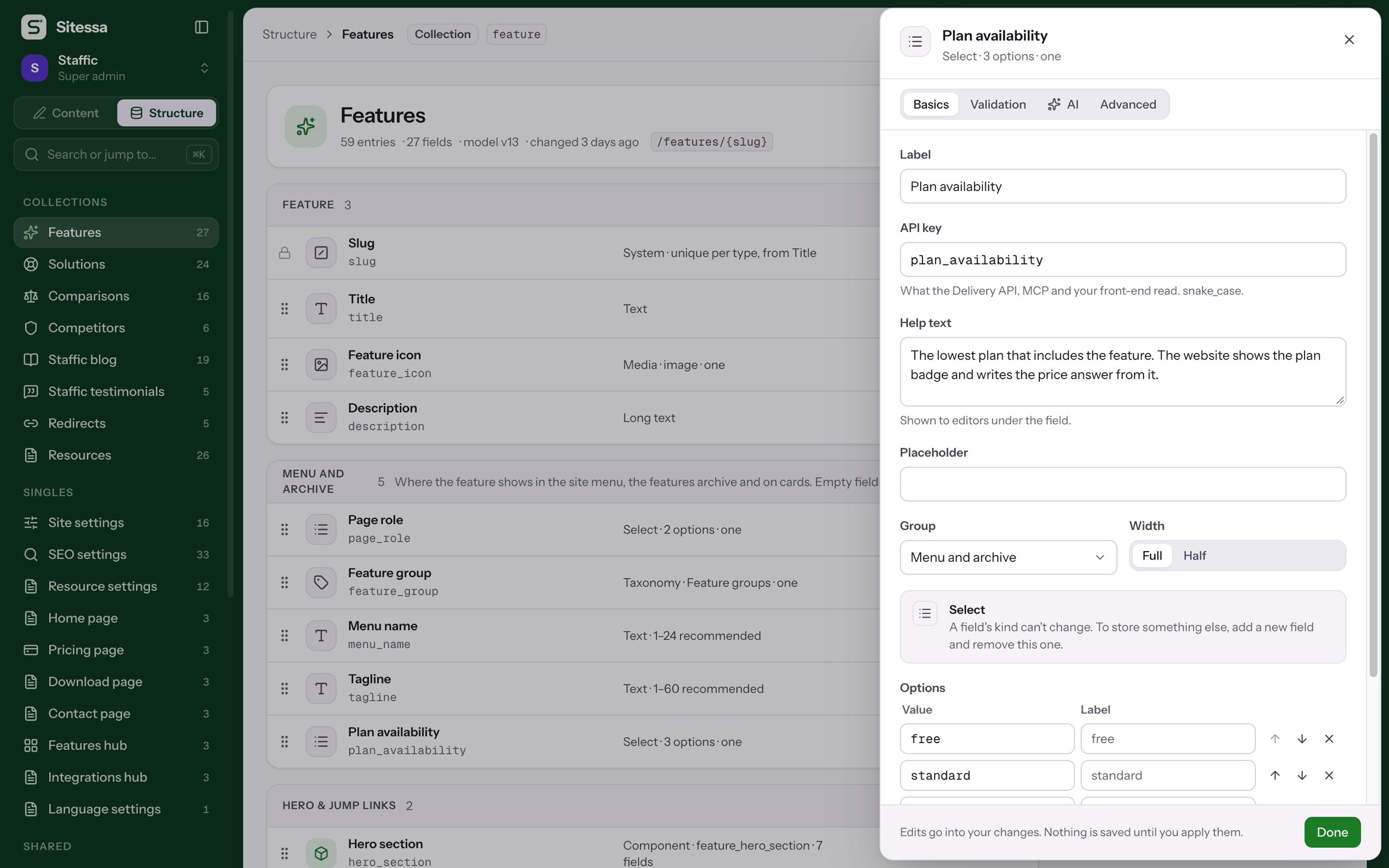
Add a field
Pick a kind, name it, set its rules.
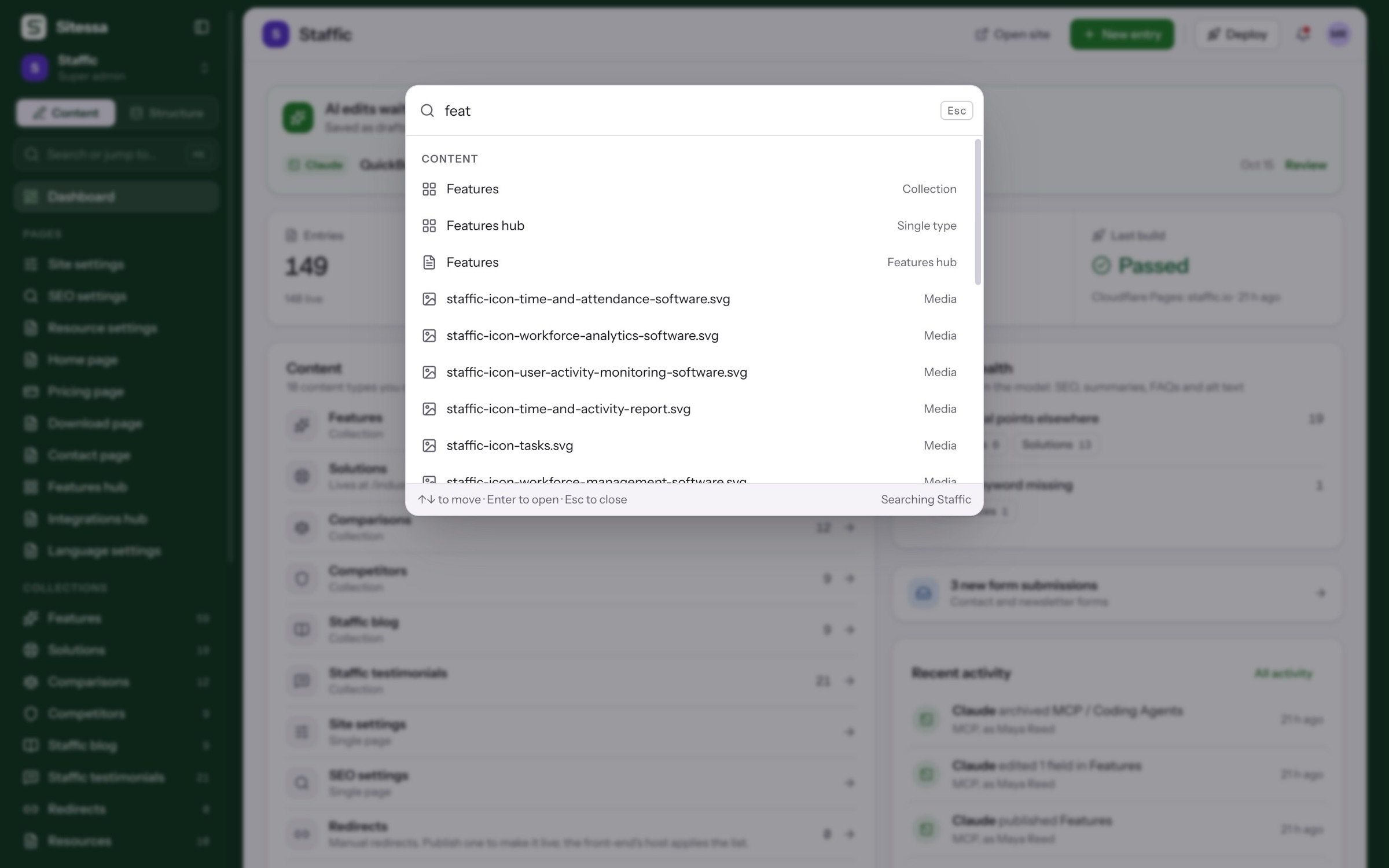
Find anything
⌘K, filters and health checks.
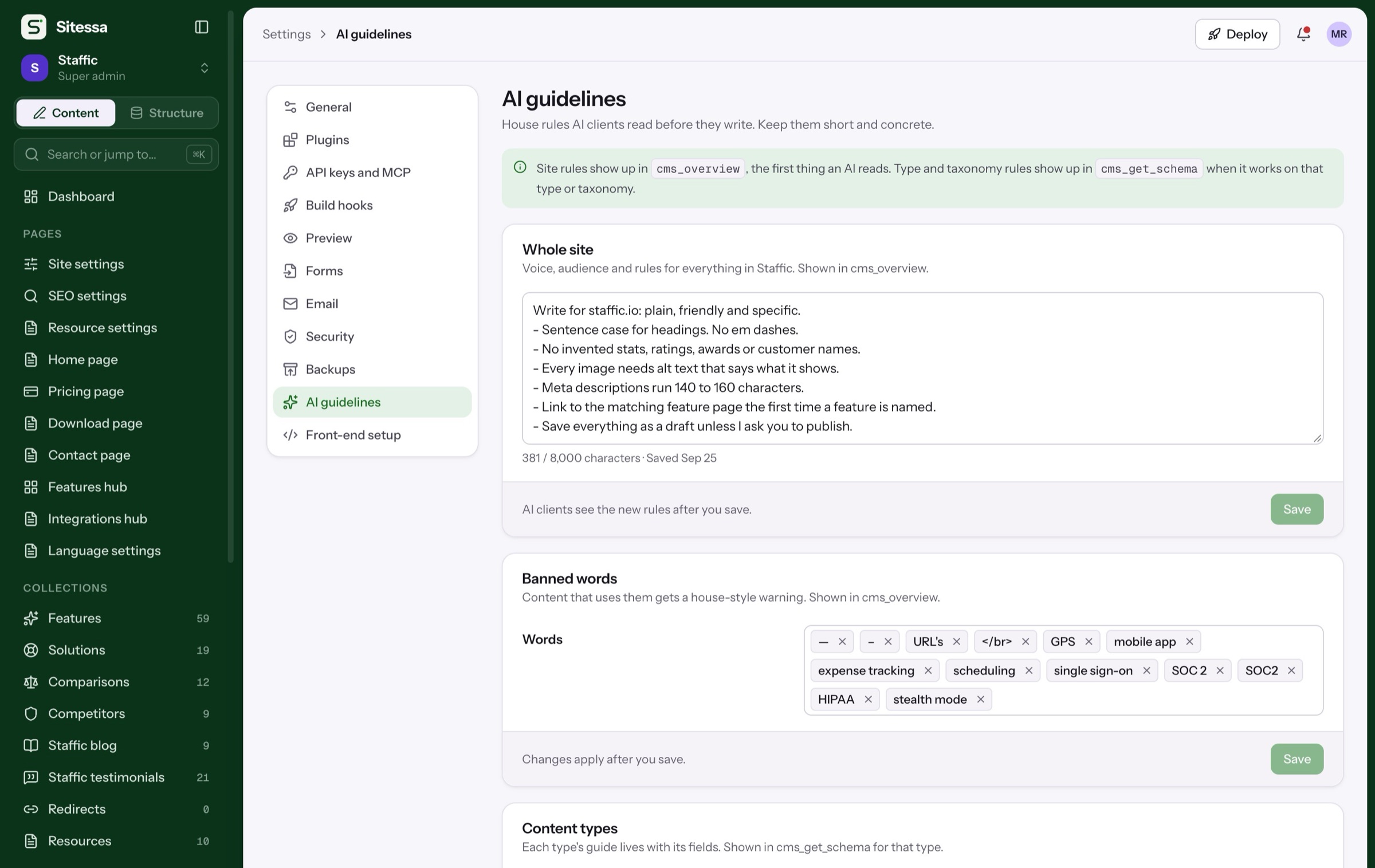
Write house rules
Rules and hints every AI reads first.
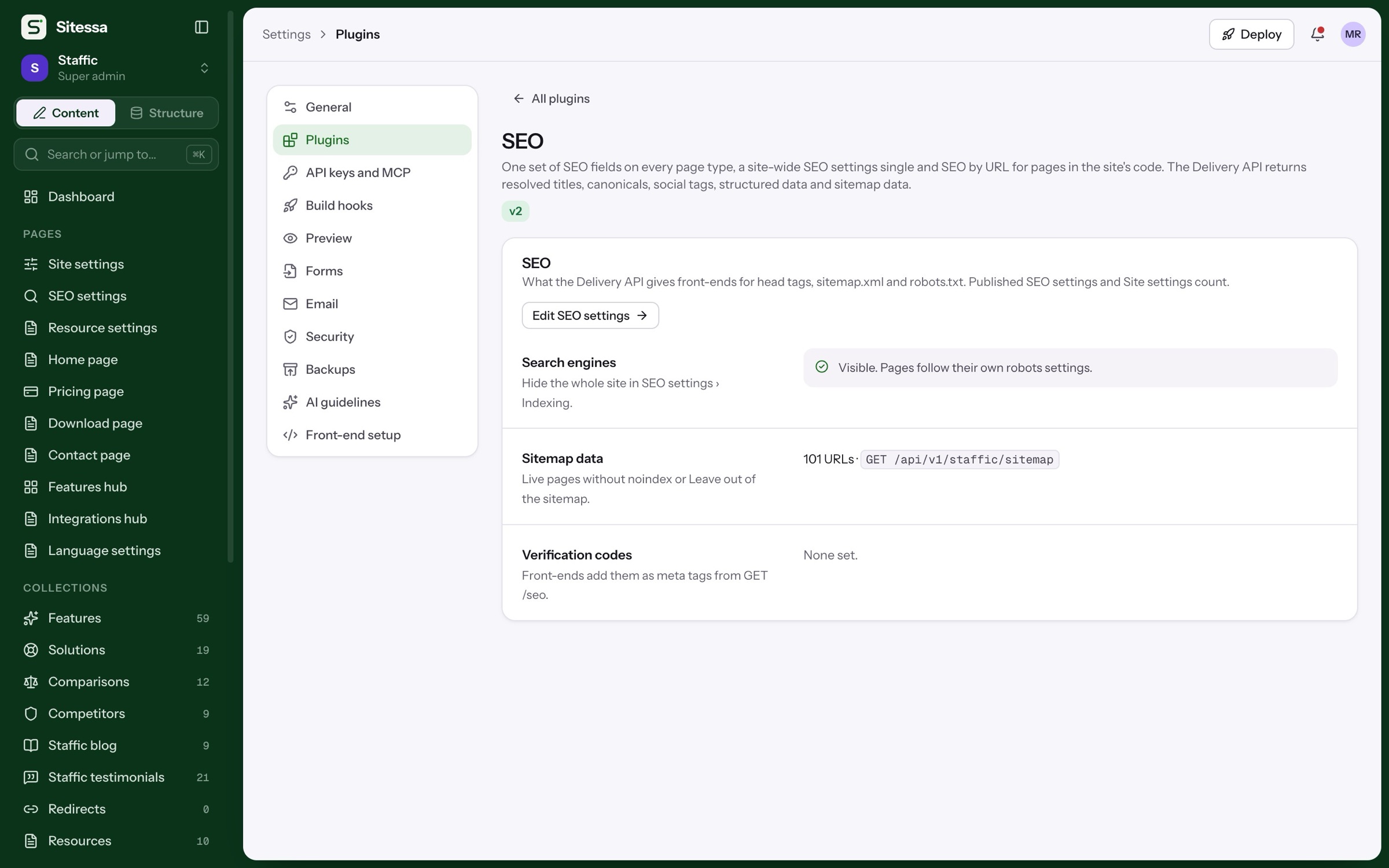
Install a plugin
SEO, Languages, Redirects, Site identity.
Bring back a version
Entries keep 8 versions; the model keeps them all.
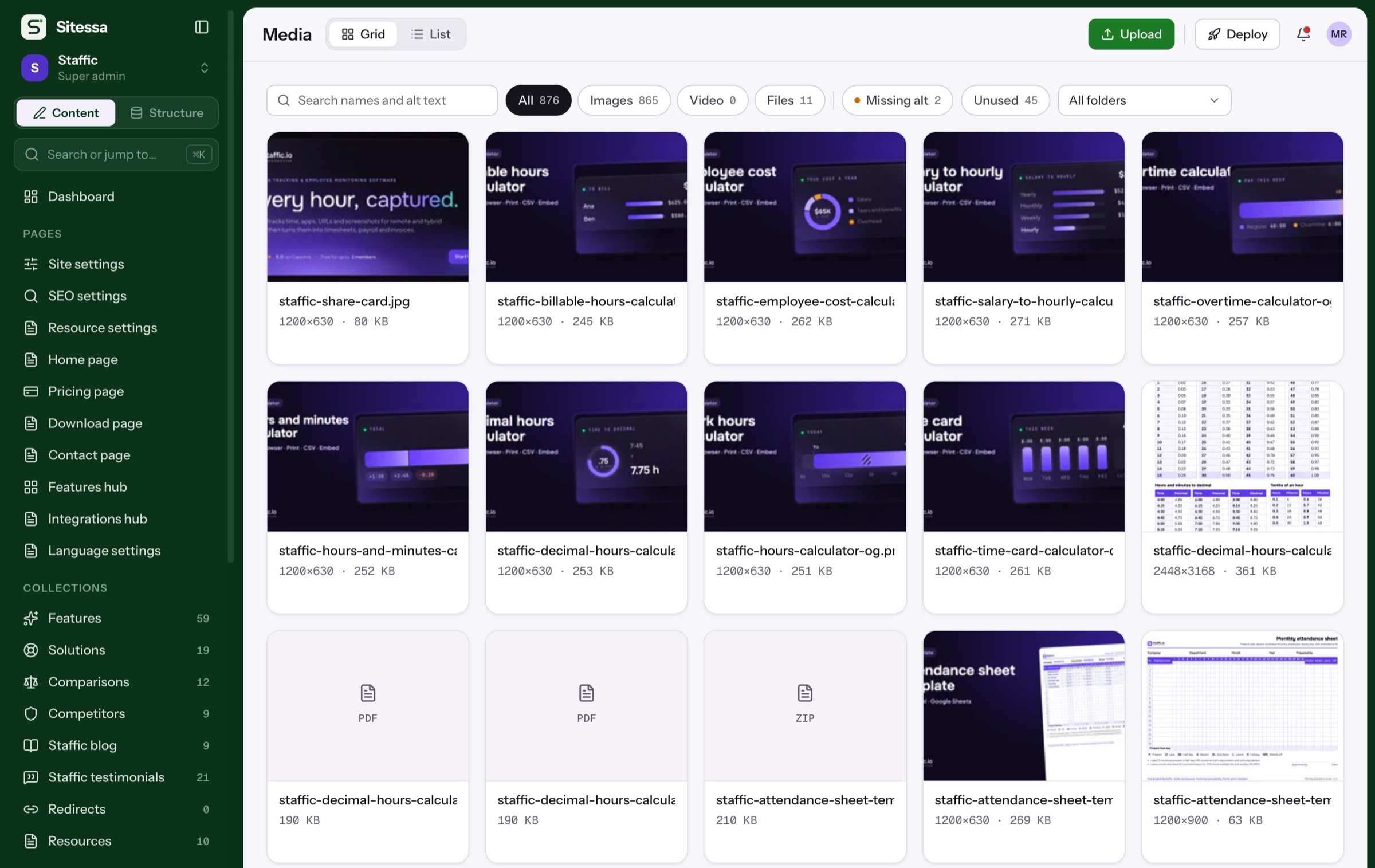
Fix missing alt text
Find images without it, then fill it in.
From model to live page
One page, start to finish.
Six steps from an empty model to a live page, each on the real screen.
Start with a collection or a single page, then put its fields in groups.
Twenty kinds, from text and media to relations, components and blocks.
Editors and AI apps fill the same form. AI edits stay drafts with a note.
Compare the draft with live or any kept version, field by field.
Check the search preview and content health, then publish.
Front-ends read it with a key and generated types. Publishing starts the build.
Field kinds (20)
Twenty ways to say exactly.
One line: titles, names, labels
QuickBooks Time Tracking IntegrationPlain paragraphs
Send the invoices you make from tracked hours…Formatted HTML with headings and links
<h2>How it works</h2><p>…Docs, with callouts
## Set it up > Note: …URL part, unique
/features/quickbooks-time-tracking-integrationOne address
name@example.comLinks and video URLs
https://www.youtube.com/watch?v=…Integer or decimal
24On or off
Show in menu: onA day, with a date picker
Oct 15, 2026A day and a time
Oct 15, 2026 · 10:30One or many from a list
free · standard · eliteHex value with a picker
#10A236lucide:name
lucide:sparklesAnything structured
{ "steps": 4 }Images, video, files
staffic-icon-quickbooks….svg · 24×24Links to another type
Solutions › workflow_featuresTerms like categories or tags
Feature group: IntegrationsA reusable group of fields
Hero section · 7 fieldsSections editors can stack
Hero · Steps · FAQ · CTAPlugins
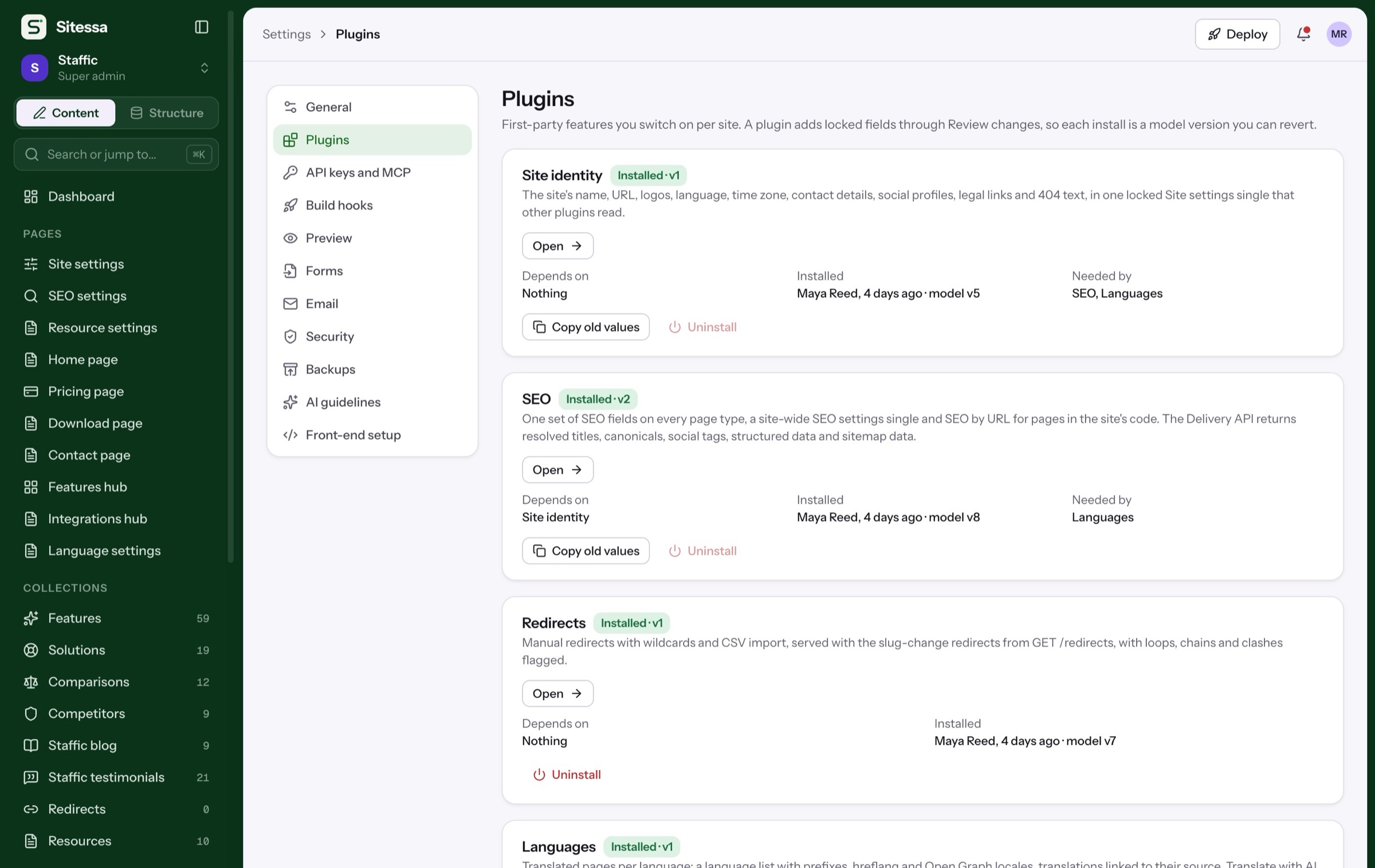
Switch on what a site needs.
Each install adds locked fields through a reviewed change, so it is a model version you can revert. Try the switches.
Operations
Run it like a team.
Roles per site, one log for every change, exports on demand and model changes you can undo.
| Subject | Read | Create | Update | Delete | Publish |
|---|---|---|---|---|---|
| Features | ✓ | ✓ | ✓ | ✓ | |
| Media library | ✓ | ✓ | ✓ | ||
| Structure | ✓ | ||||
| Settings |
Custom roles, with read, create, update, delete and publish per content type.
One log for people and AI apps, across every site.
Nightly encrypted backups, an export to download, and restore into a new site.
A revert plan is ready for review.
Undo a model change with a plan you review first.
Pricing
Every feature, on both plans.
How many field kinds are there?
Twenty, in four groups: text, values, references and structure. Components and blocks let you reuse groups of fields and stack sections.
Can I change a type after it has entries?
Yes. Changes are planned, reviewed and applied. Renames move stored values, and each change is a model version you can revert.
What do plugins add?
Locked fields and types for Site identity, SEO, Redirects and Languages. Each install is a model version, so you can undo it.
Can people see only some sites?
Yes. Members and roles are set per site, with read, create, update, delete and publish permissions for each content type.
Can I take my content with me?
Yes. Settings › Backups keeps nightly encrypted backups and has an export you can download, and Structure gives you the model as JSON and TypeScript.